





SAP Data Archiving
Data archiving — Ensuring performance, free up memory
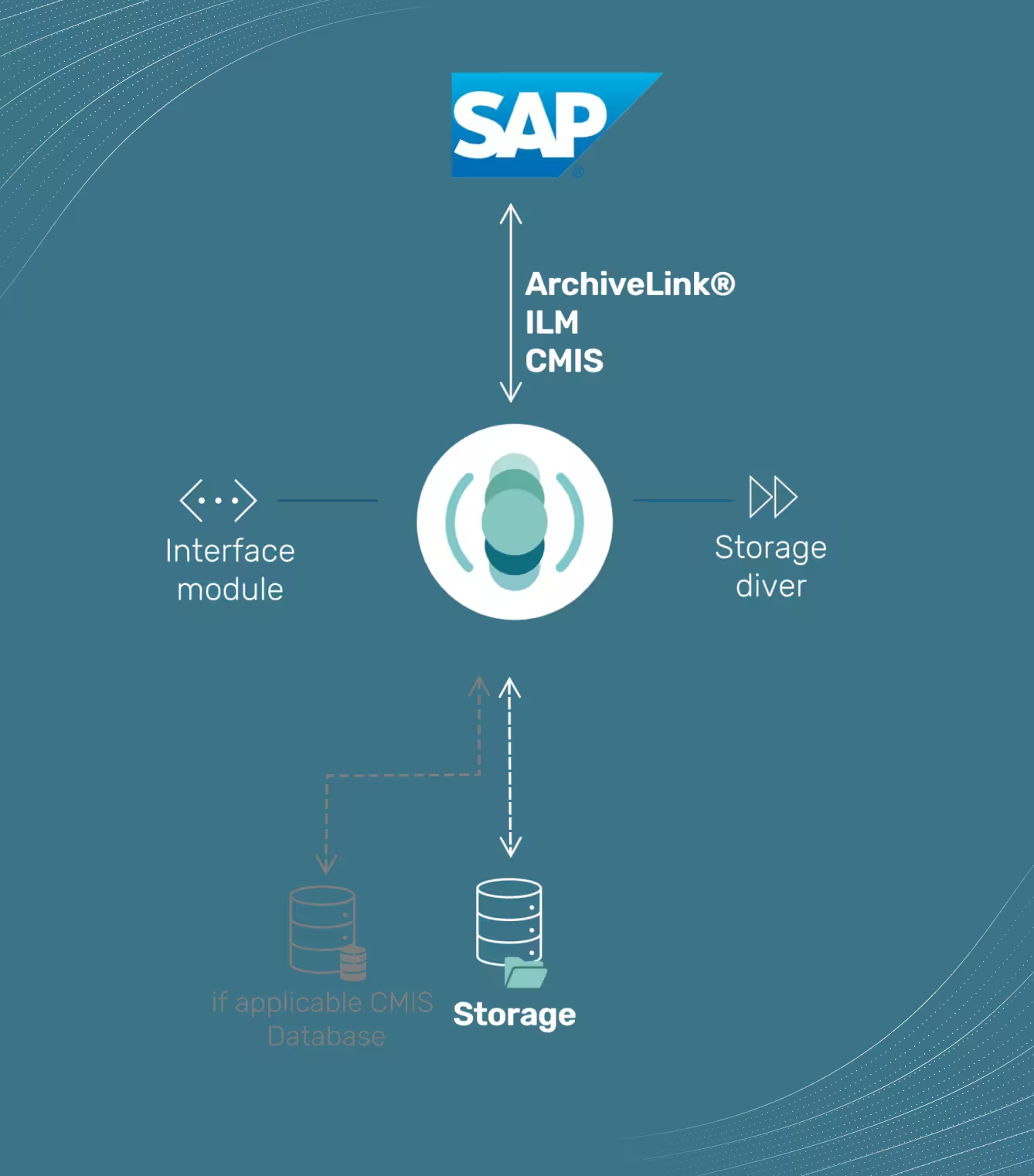
SAP's own content server is not suitable for legally secure archiving of large volumes of documents. tia®, as a lean middleware, offers a legally secure archiving solution for documents, data and print lists via ArchiveLink, ILM and CMIS.


.avif)
Top Companies rely on kgs


.svg.png)


.svg.png)


.svg.png)

The right Interface
Ensure performance, Relieve storage
If you want to archive in a legally secure, efficient and cost-optimized manner in the long term, you need a solution that goes beyond the capabilities of SAP Content Server. A future-proof SAP archiving solution forms the basis for compliance, transparency and sustainable information security in the company.

Why archive?
Why archive SAP data?
In many companies, databases in SAP systems are growing rapidly. As a result, SAP Basis must regularly expand storage resources, while at the same time significantly reducing system performance. SAP data archiving offers a sustainable solution here.
By selectively outsourcing data that is no longer active from the SAP database, its volume can be reduced in the long term. This results in a significant increase in performance, lower operating costs, and more efficient system management.


Document & Data Archiving
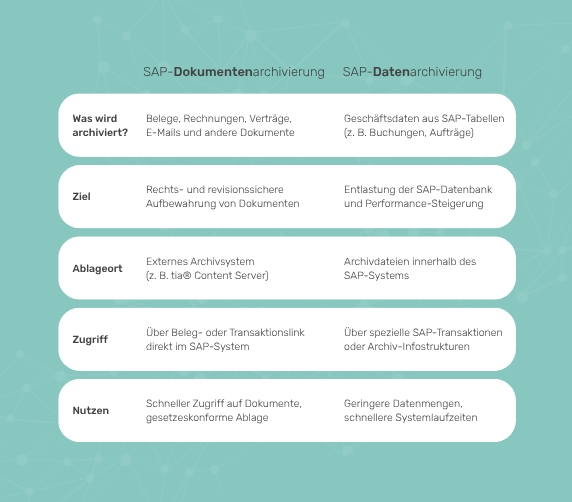
Difference between document and data archiving
In contrast to SAP document archiving, which can usually be implemented within a few service days, data archiving is usually a more complex project. It requires careful coordination between IT department and specialist areas, as the selection of archiving objects to be archived depends largely on the respective process and compliance requirements.
Only when technical and technical requirements are precisely coordinated can data archiving in SAP develop its full benefits — namely stable performance, legally compliant data storage and optimized system costs.


Why archive?
Three steps of data archiving
1. Generate
Archive data is generated.
2. Delete
Records are deleted from the database.
3. Drop off
Archive files are stored in the archive system.


Who is tia®
tia® - the intelligent archive
tia® combines all kgs product modules into a common vision of an intelligent document archive. From migration from an old system to input management to target storage, tia® can be used to represent the entire archiving scenario in the company.


Successful Use Cases
tia® from kgs in practice

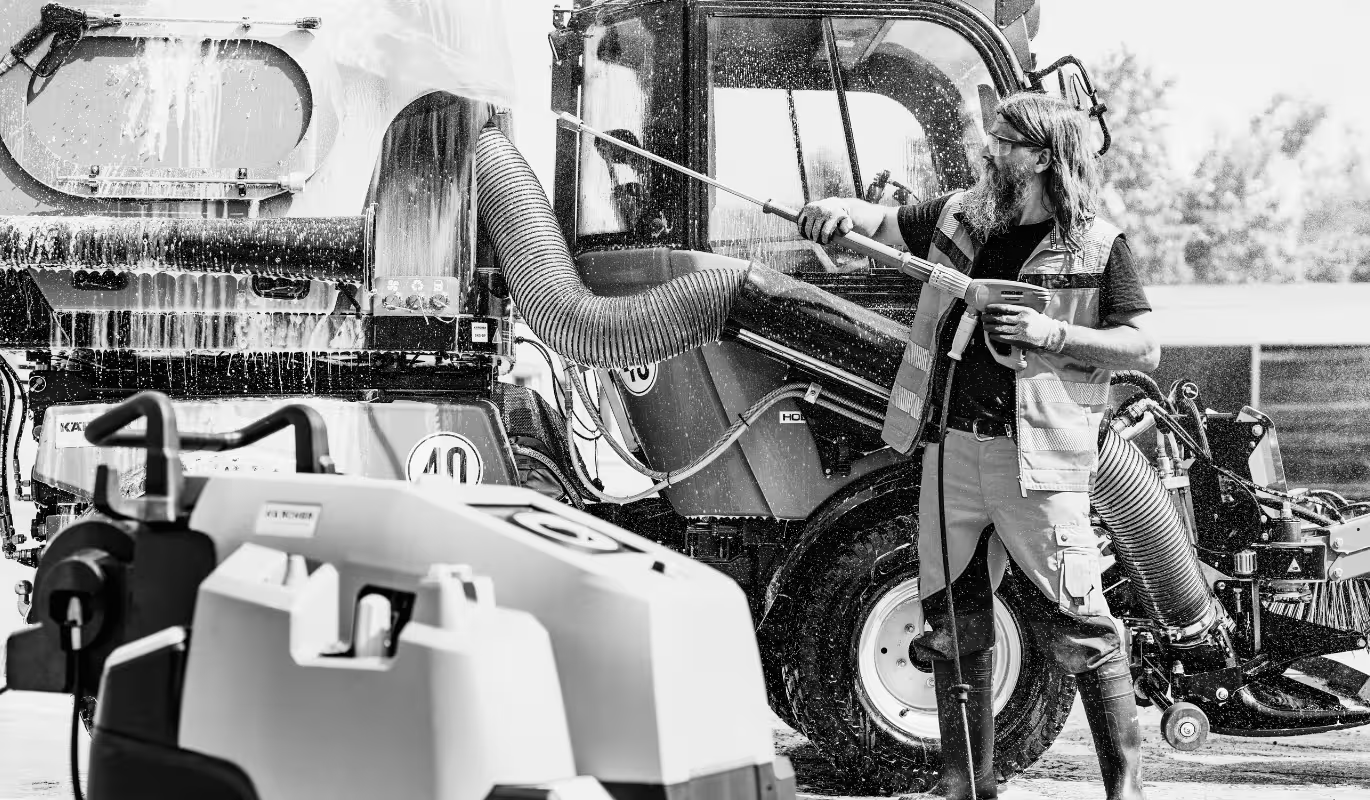
Kärcher: Archiving in the cloud and CMIS readiness from a single source
- Archiving as part of S/4HANA transformation
- AWS platform
- ArchiveLink and CMIS


Two men - 8 terabytes
Archiving solution at Hensoldt/Migration process of over 8 terabytes/kgs solutions at Hensoldt at a glance

.avif)

Coats switches to kgs archive and goes to the cloud
Motivation to change archive system / kg's solution for Coats / Migration process / Bye On-Premises - Hello Cloud


.png)
Migrate 6 terabytes of documents
- Motivation to switch to the kgs solution
- Special features of Trump archiving
- kgs solutions at Trumpf


New kgs archive with invoice entry
- Data migration insights
- Transfer of incoming invoices
- Overview of various kgs product modules at Röchling


.png)
SAP archiving under S/4HANA with kgs
- Motivation for changing archiving systems
- kgs solution for Döhler
- Archiving with S/4HANA


Kgs' Blog
Procedural documentation
Procedural documentation is a central element of legally compliant archiving. It describes in detail the processes, systems and technical frameworks that are used in the company for electronic archiving.


Process
How we work
In just three easy steps, we will guide you from analysis to successful implementation of your customized archiving solution.


Initial discussion & presentation
We will analyse your specific requirements in a personal conversation and show you how our solution optimizes your archiving processes.


Proof of Concept (PoC)
An experienced SAP consultant demonstrates the feasibility and concrete benefits of the solution in your system landscape.


implementation
The solution is seamlessly integrated into your IT environment to ensure efficient and seamless archiving.

Contact Us
Your future archive starts here
Heading
Heading
Heading
Heading


FAQ
FAQ about tia® — the intelligent archive
If you have any further questions about tia® that are not answered here, you can find more detailed information and helpful resources in our insights. We are also happy to advise you personally if you need an individual solution.


A content server is a system for centrally storing, managing and providing digital content such as documents, images, or videos. It is often used in companies to archive information in a structured and audit-proof manner.
A content server is used wherever large amounts of digital data must be securely managed and archived over the long term — for example, to store invoices, contracts or SAP data in accordance with the law.
While an ECM system (Enterprise Content Management) offers a variety of functions related to document management, workflows and collaboration, a content server usually focuses on the central archiving and structured provision of content — often in connection with third-party systems such as SAP.
Integration is carried out via standardized interfaces such as SAP ArchiveLink® or CMIS. These make it possible to automatically archive content from SAP systems in the content server and retrieve it directly from SAP as required.
Yes. tia® Content Server supports both on-premises, cloud and hybrid scenarios. They can be flexibly integrated into existing IT landscapes — even in combination with hyperscalers such as AWS, Azure or GCP.
CMIS stands for “Content Management Interoperability Services” — a vendor-independent standard for connecting and integrating various content management systems. A content server with CMIS support can thus communicate flexibly with different systems.
Yes. tia® content server from kgs — is certified by SAP. This certification guarantees technical compatibility and compliance with SAP guidelines when archiving content.
A content server offers high scalability, modern interfaces, low operational complexity and secure, legally compliant archiving. It can also be flexibly adapted to specific IT strategies — whether locally or in the cloud.
More Solutions
Lean archiving and migration solutions for every IT landscape


SAP Document Archiving
The path to autonomous document archiving of the future
tia® is a lean middleware between SAP and storage and enables legally secure document archiving, data archiving and archiving of print lists via ArchiveLink, ILM and CMIS.


SAP Data Archiving
The path to autonomous data archiving of the future
tia® is a lean middleware between SAP and storage and enables legally secure document archiving, data archiving and archiving of print lists via ArchiveLink, ILM and CMIS.


SharePoint Archiving
tia® Connector for SharePoint
tia® bridges the gap in the document life cycle between SharePoint and storage with the new archiving solution tia® Connector for SharePoint. The tia® Connector consistently uses a lean, supplementary component and cloud-native technology.


ECM/DMS Replacement
Archiving instead of DMS or ECM
Many companies in the SAP environment still rely on classic DMS or ECM systems for archiving. However, these systems are only conditionally suitable for SAP, as they are designed as standalone systems and therefore involve rights and metadata logic. They also have a variety of more expensive functions that are not required in an SAP context. TIA® is a lean middleware between SAP and storage and enables legally secure document archiving, data archiving and archiving of print lists via ArchiveLink, ILM and CMIS.